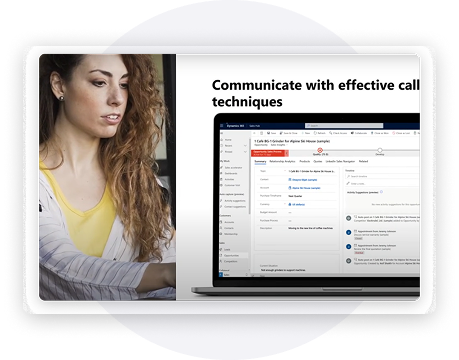
Smarter Solutions, Powered by Power Platform

Low-Code App Creation
Adaptive Process Logic
Unified Data Platform
AI Collaboration (Copilot)
Run Your Business. Smarter.
Rapid App Innovation
Secure Cloud Governance
Cross-System Synergy
Maximize the power of Microsoft Power Platform with easy-to-use tools that help your business build, automate, and analyze processes efficiently. Create custom applications with Microsoft Power Apps, automate workflows using Microsoft Power Automate, and gain actionable insights through Microsoft Power BI.
Design secure business websites with Microsoft Power Pages and connect your data across systems for better visibility.
With a powerful low-code platform, organizations can streamline operations, improve collaboration, and make faster data-driven decisions by boosting productivity and enabling smarter business growth.
Power BI
Power Apps
Power Automantion

Power BI
Microsoft Power BI is a powerful business analytics tool that transforms raw data into meaningful insights. With interactive dashboards, advanced visualization, and seamless integration with Microsoft applications, it enables organizations to analyze data, track performance, and make informed business decisions.
MindQuad’s Approach
- • Align data analytics with strategic business goals
- • Build interactive dashboards for real-time insights
- • Enable smarter decisions with unified, data-driven reporting
With MindQuad, organizations gain clearer visibility into performance, faster insights, and stronger decision-making capabilities.
Microsoft Power BI is a powerful business analytics tool that transforms raw data into meaningful insights. With interactive dashboards, advanced visualization, and seamless integration with Microsoft applications, it enables organizations to analyze data, track performance, and make informed business decisions.
MindQuad’s Approach
- • Align data analytics with strategic business goals
- • Build interactive dashboards for real-time insights
- • Enable smarter decisions with unified, data-driven reporting
With MindQuad, organizations gain clearer visibility into performance, faster insights, and stronger decision-making capabilities.
What Microsoft Power BI Can Do for You
- • Interactive Dashboards – Visualize data with intuitive, drag-and-drop reports.
- • Seamless Integration – Connect with Dynamics 365, Microsoft 365, and other apps.
- • Real-Time Insights – Track performance with live data and automated refresh.
- • AI-Driven Analytics – Uncover trends and opportunities with intelligent insights.
- • Secure Collaboration – Share reports and dashboards safely across teams.
Discover how Microsoft Power BI can transform your operations and deliver faster, smarter results: Microsoft Power BI
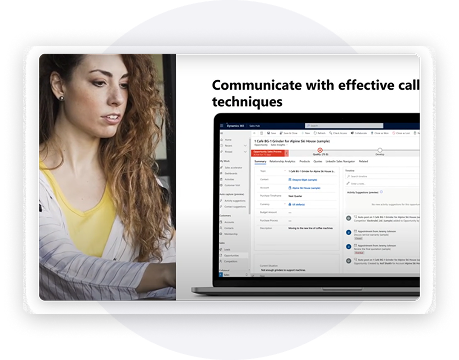
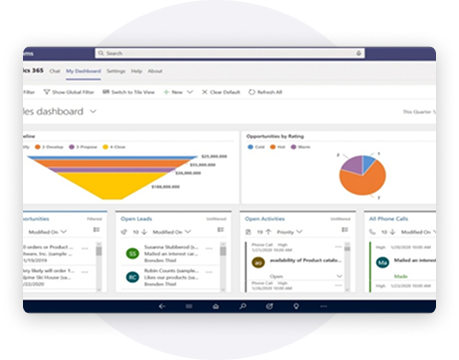
Power Apps
Microsoft Power Apps enables organizations to quickly build custom business applications with minimal coding. With an intuitive interface and seamless integration with Microsoft services, Power Apps helps businesses digitize processes, automate workflows, and improve operational efficiency across teams.
MindQuad’s Approach
- • Align low-code applications with business processes
- • Build scalable apps for faster process automation
- • Enable connected solutions with Microsoft and external data sources
With MindQuad, organizations can rapidly develop business applications, streamline workflows, and accelerate digital innovation.
Microsoft Power Apps enables organizations to quickly build custom business applications with minimal coding. With an intuitive interface and seamless integration with Microsoft services, Power Apps helps businesses digitize processes, automate workflows, and improve operational efficiency across teams.
MindQuad’s Approach
- • Align low-code applications with business processes
- • Build scalable apps for faster process automation
- • Enable connected solutions with Microsoft and external data sources
With MindQuad, organizations can rapidly develop business applications, streamline workflows, and accelerate digital innovation.
What Microsoft Power Apps Can Do for You
- • Low-Code App Development – Build custom apps with an intuitive drag-and-drop interface.
- • Rapid Deployment – Launch applications quickly using pre-built templates.
- • Seamless Integration – Connect with Microsoft 365, Dynamics 365, and external systems.
- • Multi-Device Access – Create responsive apps for web, mobile, and tablet.
- • Extend Functionality – Enhance apps with connectors, APIs, and automation.
Discover how Microsoft Power Apps can transform your operations and enable smarter business solutions: Microsoft Power Apps
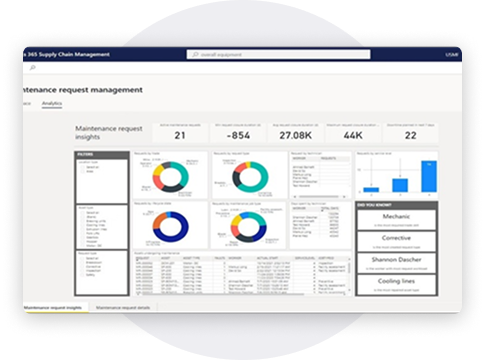
Power Automantion
Microsoft Power Automation enables organizations to quickly build custom business applications with minimal coding. With an intuitive interface and seamless integration with Microsoft services, Power Apps helps businesses digitize processes, automate workflows, and improve operational efficiency across teams.
What Microsoft Power Automate Can Do for You
- Workflow Automation – Automate tasks across Microsoft apps and third-party services.
- Event-Based Triggers – Start workflows automatically based on actions or updates.
- Pre-Built Templates – Deploy automation quickly using ready-to-use templates.
- Low-Code Automation – Build workflows easily with a drag-and-drop interface.
- Monitoring & Insights – Track and manage workflow performance in real time.
- Discover how Microsoft Power Automate can streamline processes and improve operational efficiency.